Proper lumbar support is crucial for comfort and productivity in the workplace. In fact, studies show that nearly 80% of adults will experience back pain at some point in their lives. Poor chair ergonomics are often a contributing factor. Learning how to adjust lumbar support on a task chair can significantly reduce discomfort and increase focus.
Experts recommend that your task chair’s lumbar support align with the natural curve of your lower back. Failure to achieve this may lead to issues like chronic back pain or decreased productivity. Additionally, the American Chiropractic Association suggests that an ergonomic chair can lead to improved posture and overall well-being. Yet, many users remain unaware of how to optimize their task chairs.
It’s essential to remember that each person has unique needs when it comes to lumbar support. Adjusting your chair shouldn’t feel like a one-size-fits-all solution. Experimenting with different settings is often necessary to find what works best for you. Failing to take the time to make these adjustments may contribute to discomfort and long-term health issues.
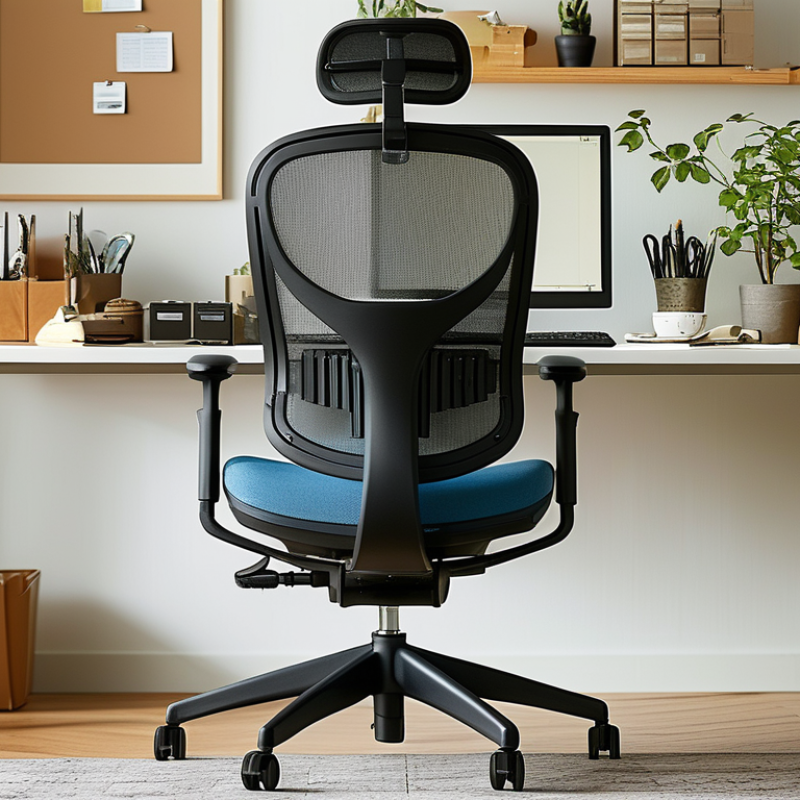
Lumbar support plays a crucial role in maintaining ergonomic posture during long hours at a task chair. The curve of your lower back requires adequate support to prevent discomfort. When properly positioned, lumbar support can reduce stress on the spine and improve overall comfort at work.
Many office workers overlook lumbar support settings. They may not realize that a poorly adjusted chair could lead to chronic back pain. A good starting point is to place the lumbar support just above your beltline. This positioning should align with the natural curve of your spine. Take a moment to reflect on how this minor adjustment can positively impact your daily productivity.
It’s also important to assess how your body feels throughout the day. Are you leaning forward too much? Are you feeling tension in your shoulders? Adjusting lumbar support isn’t a one-time task. Regular adjustments based on your comfort can make a noticeable difference. Don’t hesitate to experiment until you find what feels right. It might take time, but your back will thank you.
This chart illustrates the percentage of users who report discomfort while using task chairs with varying levels of lumbar support. It highlights the significant impact of proper lumbar support on user comfort and overall health during prolonged sitting.
To achieve optimal lumbar support, it’s essential to take precise measurements that cater to your unique body shape. Start by sitting in your task chair with your back straight. Identify the natural curve of your spine—this area is crucial for support. Use a measuring tape to determine the distance from the floor to the most prominent point of your lower back. This measurement helps you find the ideal height for lumbar support.
Once you've established the height, adjust the support accordingly. The lumbar cushion should fill the gap between your lower back and the chair. Ensure it doesn’t force your spine into an unnatural position. Ideally, the support should provide enough pressure to maintain the curve without causing discomfort. Consider adding or removing padding to achieve the perfect fit.
Experimentation is often necessary. You may find the support either too firm or too soft on the initial adjustment. Take time to notice how your body responds throughout the day. Continuous adjustments might be required to ensure the best outcome for your comfort and posture. Remember, proper lumbar support can enhance your task efficiency but find what works best for your body. Listening to your body's feedback is vital in this process.
Adjusting lumbar support on a task chair is crucial for maintaining comfort and preventing back pain. Users of different heights benefit from tailored adjustments. According to the American Chiropractic Association, around 80% of Americans experience back pain at some point. Proper lumbar support can significantly decrease this statistic.
For individuals under 5'4", lumbar support should be positioned lower on the back. This allows for better spinal alignment. Those who stand between 5'4" and 6'0" should aim to have the support resting at the mid-back level. Taller users, above 6'0", often require higher support, ideally at the upper back. The placement should fit the natural curvature of the spine.
Surveys indicate that only 45% of office workers adjust their chair lumbar support. This highlights the need for better awareness. Suboptimal adjustment can lead to discomfort and decreased productivity. Inconsistent adjustments can also lead to long-term misalignment. Regular reflection on chair settings is necessary for overall well-being. Adjusting lumbar support is not just about preferences; it directly impacts physical health.
Adjusting lumbar support on your task chair is crucial for back health. Many people overlook the importance of this adjustment. A study by the American Chiropractic Association shows that around 31 million Americans experience lower back pain at any given time. Proper lumbar support can significantly reduce discomfort.
Common mistakes occur during adjustments. Many individuals position lumbar support too high or too low. This misalignment can exacerbate existing pain or cause new issues. Research indicates that proper lumbar support should align with the natural curve of your spine. When adjusted correctly, the lower back should receive adequate support. Avoid the common error of neglecting regular adjustments as your body or seating habits change.
Another mistake is using too much pressure. Overly firm support can lead to discomfort. A 2020 survey reported that 70% of office workers experience back pain primarily due to improper seating. Ensuring your lumbar support is firm yet comfortable is essential. Aim for a balance that feels supportive but not restrictive. Reflecting on these adjustments can improve your posture and overall well-being.
Maintaining optimal lumbar support is essential for anyone who spends long hours sitting at a desk. The right support helps to align your spine. This alignment reduces the risk of fatigue and helps prevent back pain. It's important to find a comfortable position. Adjust your chair so that the lumbar support fits snugly against the natural curve of your lower back.
Daily adjustments are key. Take a moment during your workday to check your chair settings. Are you slumping? If so, tiny tweaks can encourage better posture. The lumbar support should push against your back, not create pressure points. When seated, your feet should rest flat on the ground, with knees and hips at a 90-degree angle. This stance aids circulation and helps keep you alert.
Even with regular adjustments, staying in one position for too long can lead to discomfort. Stand up and stretch every hour. Pay attention to how your body feels. If you notice a persistent ache, reconsider your chair alignment. Small changes can lead to significant benefits in your daily comfort. Reflect on what works for you and don’t hesitate to make necessary adjustments.
| Adjustment Step | Best Practice | Frequency of Adjustment | Notes |
|---|---|---|---|
| Identify Lumbar Area | Locate natural curve of your spine | Initial setup and every few weeks | Ensure chair is adjusted to your body size |
| Adjust Lumbar Height | Position lumbar support in lower back | Every time you sit down | Use chair controls for precise adjustment |
| Check Lumbar Support Firmness | Ensure support is firm yet comfortable | Monthly | Test while seated for comfort |
| Adjust Seat Depth | Maintain 2-4 inches between knees and chair edge | As needed | Avoid pressure on back of knees |
| Maintain Good Posture | Back flat against the chair, feet flat | Constantly | Encourages healthy spinal alignment |
: Sit in your chair with a straight back. Measure from the floor to your lower back’s most prominent curve.
Adjust the support to fill the gap between your lower back and the chair. It shouldn't force your spine into an unnatural position.
If it causes discomfort or pain, it’s likely too firm. Ensure it supports your spine without any pressure points.
Your body and seating habits change. Regular adjustments keep your lumbar support aligned with your spine’s natural curve.
Many people misalign it by placing it too high or too low. This can worsen pain instead of alleviating it.
Check at least once during your workday. Small tweaks can enhance posture and comfort significantly.
Stand up and stretch every hour. Regular movement helps alleviate discomfort and keeps your body alert.
Your feet should rest flat on the ground, and knees should be at a 90-degree angle. This aids circulation.
Reconsider your chair alignment. Minor adjustments can lead to better comfort throughout the day.
Reflect on your comfort throughout the day. Small changes and regular adjustments can improve your posture and well-being.
When considering how to adjust lumbar support on a task chair, it is crucial to understand the significance of proper lumbar support for maintaining spinal health. The article outlines key measurements to be aware of for effective adjustment, including the height and depth of the lumbar support to align with the natural curve of the spine. It also provides techniques tailored for different user heights, ensuring comfort and support during long hours of work.
Moreover, the article highlights common mistakes in lumbar support adjustment, such as incorrect positioning or neglecting regular adjustments based on changes in user posture. To maintain optimal lumbar support, best practices for daily use are recommended, emphasizing the importance of regular check-ins on chair settings to enhance ergonomic benefits. By following these guidelines, users can create a more supportive and healthy workspace.

Valet Chair